Are you struggling to get exactly what you want from Google’s AI? The secret to flawless images isn’t expensive software—it’s mastering the right Gemini photo editing prompts.
Getting your selfies, product shots, and portraits to look professional comes down to how clearly you communicate your vision. The algorithm is incredibly powerful, especially with models like the Gemini 3 Flash Image architecture, but it needs precise direction to thrive.
Whether you’re fixing a lighting mistake or doing heavy AI image manipulation, the quality of your output relies on your input. I’ve aggressively tested dozens of formulas to bring you the top performers.
Here is exactly how to bypass the frustrating learning curve and get professional results instantly.
6 Best Gemini Photo Editing Prompts to Copy Right Now
Stop guessing and start creating. Use these tested text-to-image prompts to command the AI exactly how a professional retoucher would.
1. The Seamless Background Story Prompt
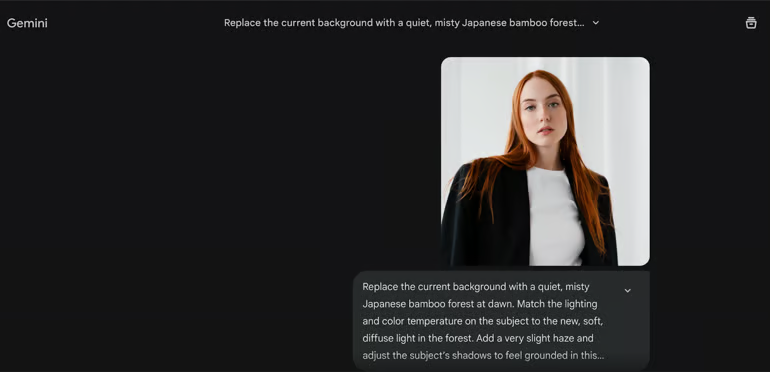
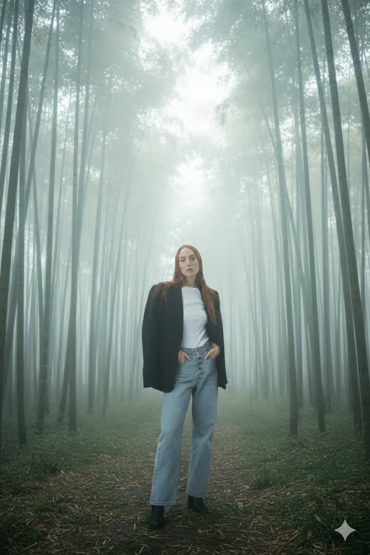
This isn’t a cheap cut-and-paste job. This prompt utilizes advanced background replacement AI to completely reinvent your subject’s environment while matching the mood, lighting, and physics of a new scene.
Copy this prompt:
“Replace the current background with a quiet, misty Japanese bamboo forest at dawn. Match the lighting and color temperature on the subject to the new, soft, diffuse light in the forest. Add a very slight haze and adjust the subject’s shadows to feel grounded in this new space.”
Why it dominates: * Focuses on integration: It commands the AI to match color temperature and lighting.
Creates cohesion: Adjusting shadows makes the new reality believable and immersive.
Click here to display content from www.fiverr.com.
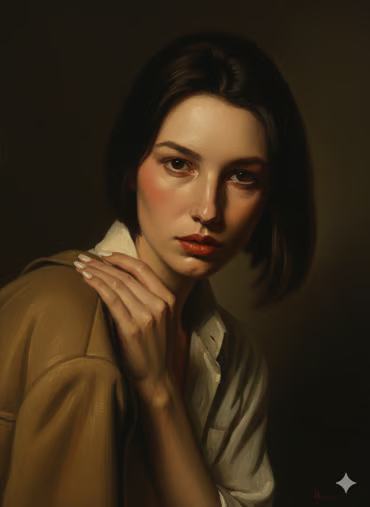
2. The Art Gallery Masterpiece Prompt
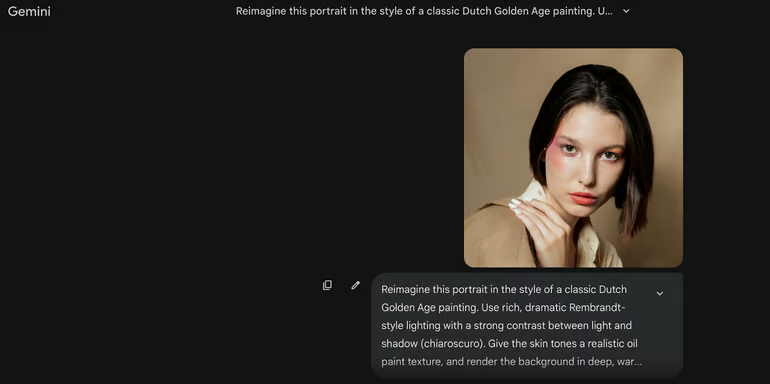
Turn a standard portrait into a museum-grade piece of art. This prompt gives the AI a rich historical library to draw from, elevating your standard AI photo enhancement.
Copy this prompt:
“Reimagine this portrait in the style of a classic Dutch Golden Age painting. Use rich, dramatic Rembrandt-style lighting with a strong contrast between light and shadow (chiaroscuro). Give the skin tones a realistic oil paint texture, and render the background in deep, warm, muted browns and blacks.”
Why it dominates:
Highly specific references: Calling out “Rembrandt-style” and “chiaroscuro” eliminates generic painterly effects.
Tactile demands: Requesting “oil paint texture” on the skin forces a sophisticated, high-end output.
Click here to display content from www.fiverr.com.
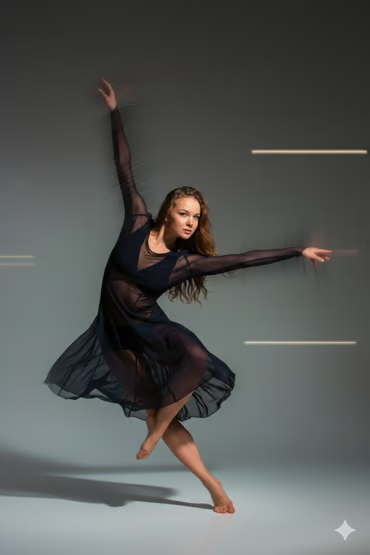
3. The Dynamic Motion Burst Prompt
Static images kill engagement. This prompt injects explosive, cinematic energy into a frozen moment, suggesting action that happened just off-camera.
Copy this prompt:
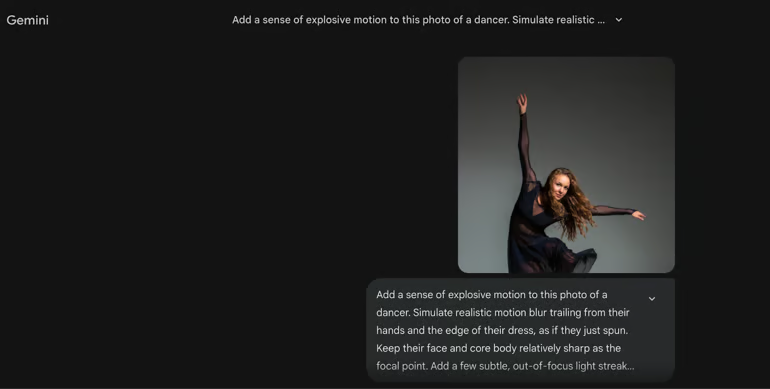
“Add a sense of explosive motion to this photo of a dancer. Simulate realistic motion blur trailing from their hands and the edge of their dress, as if they just spun. Keep their face and core body relatively sharp as the focal point. Add a few subtle, out-of-focus light streaks in the background to enhance the feeling of movement.”
Why it dominates:
Selective editing: It tells the AI exactly what to keep sharp (the core body) and what to blur.
Tells a story: The added light streaks and targeted blur create a visceral sense of speed.
Click here to display content from www.fiverr.com.
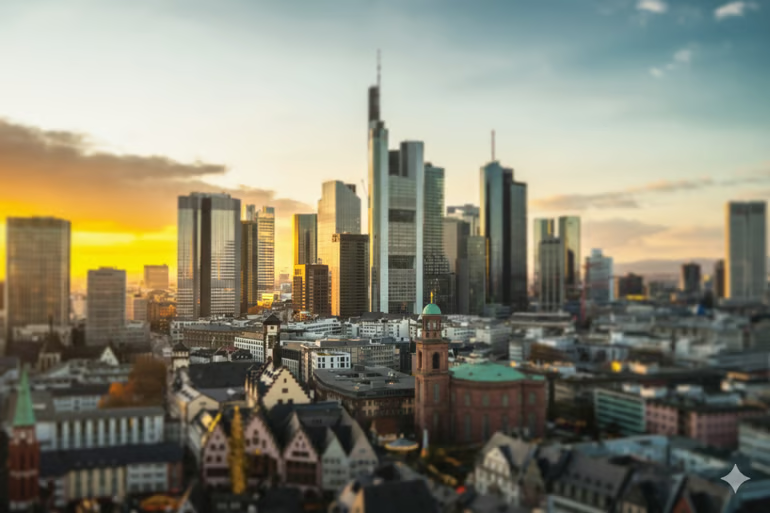
4. The Miniature Diorama (Tilt-Shift) Prompt
Create an enchanting, dreamlike optical illusion. This command transforms massive, real-life cityscapes into tiny, perfect model worlds.
Copy this prompt:
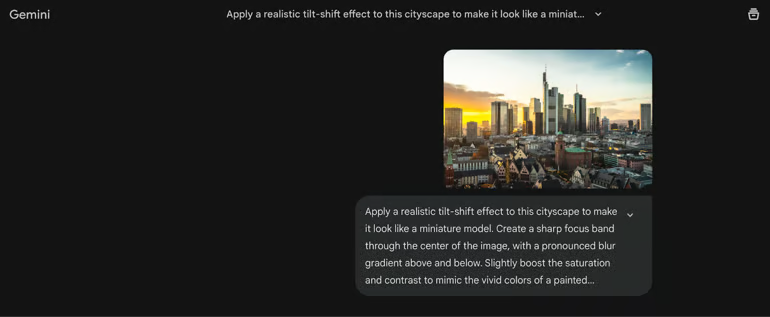
“Apply a realistic tilt-shift effect to this cityscape to make it look like a miniature model. Create a sharp focus band through the center of the image, with a pronounced blur gradient above and below. Slightly boost the saturation and contrast to mimic the vivid colors of a painted model.”
Why it dominates:
Technical authority: Using terms like “sharp focus band” and “blur gradient” speaks the algorithm’s native language.
Visual psychology: Boosting saturation specifically mimics how human brains perceive painted miniature models.
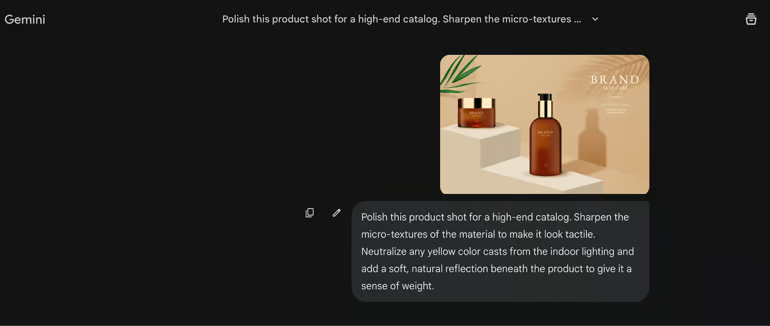
If you want to sell products online in 2026, the buyer needs to virtually “feel” the item. This is the ultimate e-commerce photo editing shortcut for high-end catalog visuals.
Copy this prompt:
“Polish this product shot for a high-end catalog. Sharpen the micro-textures of the material — whether it’s leather, metal, or fabric — to make it look tactile. Neutralize any yellow color cast from the indoor lighting and add a soft, natural reflection beneath the product to give it a sense of weight.”
Why it dominates:
Targets micro-contrast: This is exactly how the human eye registers premium quality.
Drives sales: Fixing color casts reduces return rates, while adding a reflection stops the product from looking like a flat, cheap sticker.
Transform Your Images with Pro Photo Editors
Need flawless retouching, background removal, or advanced AI manipulation? Hire top-rated freelance experts on Fiverr today.
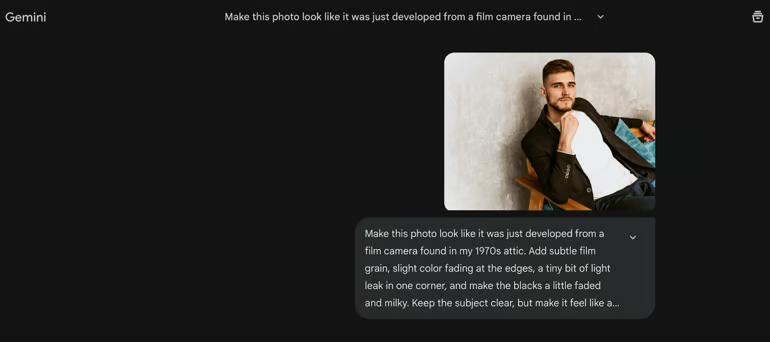
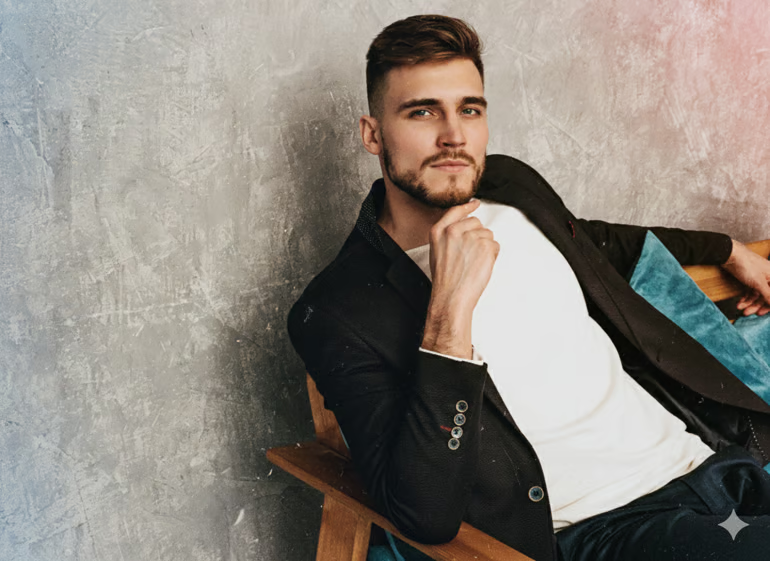
Go way beyond a basic Instagram filter. This prompt forces the AI to simulate the actual physical aging process of analog film for an unbeatable wave of nostalgia.
Copy this prompt:
“Make this photo look like it was just developed from a film camera found in my 1970s attic. Add subtle film grain, slight color fading at the edges, a tiny bit of light leak in one corner, and make the blacks a little faded and milky. Keep the subject clear, but make it feel like a found memory.”
Why it dominates:
Tangible characteristics: It stacks multiple physical flaws (milky blacks, light leaks) rather than just applying a sepia tone.
Subject protection: It explicitly demands the core subject remains clear, preserving the photo’s actual value.
The Formula for Perfect AI Image Generation
Look closely at the Gemini photo editing prompts above. You will notice a recurring, high-converting pattern that separates pros from amateurs.
To get the absolute best results from your AI workflow, always remember to:
Describe the mood, not just the digital effect.
Set strict boundaries to maintain hyper-realism.
Isolate your variables by focusing on one major transformation per prompt.
Gemini doesn’t need poetic language; it craves precise, technical direction. Stop relying on default settings and start communicating like a creative director to unlock the true potential of your images today.
Elena is obsessed with pushing the boundaries of AI image generation. She spends her days reverse-engineering stunning visuals and crafting the exact, detailed prompts needed to get gallery-quality results. She absolutely hates the "plastic AI look" and focuses on teaching people how to generate high-resolution, print-ready digital files, seamless repeat patterns for textiles, and aesthetics that look 100% human-made.






0 Comments