

The Chrome Monopoly: Why It Is Time to Switch
Google Chrome did not just win the browser war; it built an inescapable ecosystem. Based on current StatCounter metrics, Chrome dictates the global market with a massive 66.7% share. Safari trails distantly at 17.9%, while Firefox’s Gecko engine holds a mere 2.33%.
This market dominance has created a landscape where specific web applications and extensions function exclusively within a Chromium engine framework. However, this ubiquity comes with severe penalties. Chrome is notorious for aggressive RAM usage optimization failures and stands as a primary data collection tool for the world’s largest advertising network.
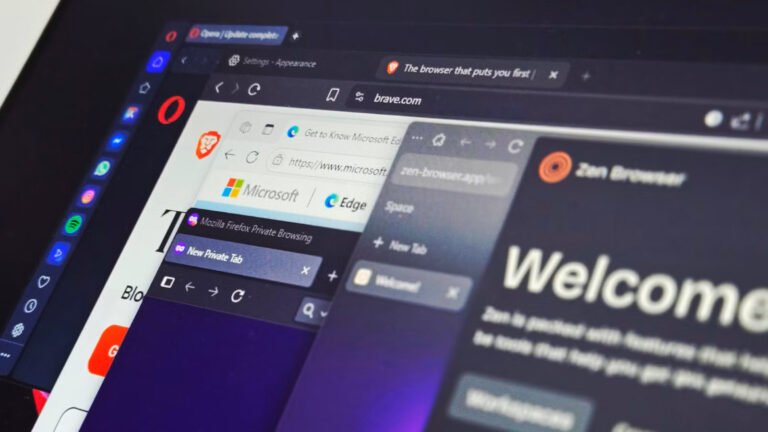
If your workstation is buckling under excessive memory loads or you are actively locking down your data footprint, you need the best Google Chrome alternatives. We bypassed the standard recommendations to analyze a mix of mainstream titans and cutting-edge software solutions—Vivaldi, Opera, Firefox, Orion, and SigmaOS. Here is how they stack up for modern digital workflows.
1. Vivaldi: The Power User’s Productivity Engine
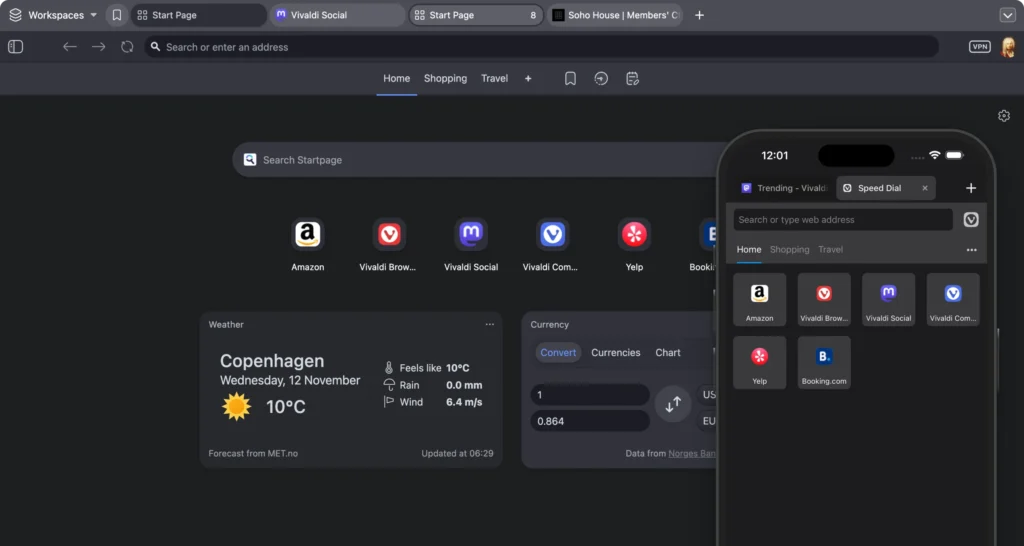
We have recommended ditching Chrome for Vivaldi for years, and its current iteration solidifies its status as a top-tier replacement. Vivaldi continuously pushes structural boundaries while competitor browsers remain architecturally stagnant.
Advanced Tab Management Rather than forcing you into a horizontal nightmare of tiny favicons, Vivaldi completely overhauls window management.
- Stack tabs like folders to organize complex research.
- Launch native split-screen views without opening secondary windows.
- Condense active sessions into collapsible, grouped accordions.
It actively reimagines interface utility. A standout feature is the Auto-hide mode, which automatically shutters UI elements when inactive to provide a true fullscreen experience inside a windowed environment.

Hardline Privacy & Feature Depth Customization aside, Vivaldi executes a strict, user-first privacy policy. All synced browser data, including history and bookmarks, is secured via strict end-to-end encryption.
The development team also maintains a rare philosophical stance: zero crypto integration and an active refusal to shoehorn generative AI into every search bar.
- Features a highly effective native ad blocker.
- Integrates a powerful, browser-based Mail client.
- Grants Vivaldi account holders free access to Proton VPN directly through the interface.
The primary drawback is system strain. Vivaldi is free, but you pay for this immense flexibility in RAM allocation. However, with robust cross-platform synchronization, including mobile clients, it remains the definitive Chromium alternative for users who demand granular control over every setting.

UGREEN Dual-Bay HDD/SSD Dock
Stop tossing old hard drives. Recover data, expand your storage up to 40TB, and instantly clone 2.5″/3.5″ SATA drives entirely offline with zero software required.
- Offline 1-Click Cloning
- Up to 40TB
- USB 3.0 High-Speed
2. Opera: Mainstream Modularity & AI Workflows
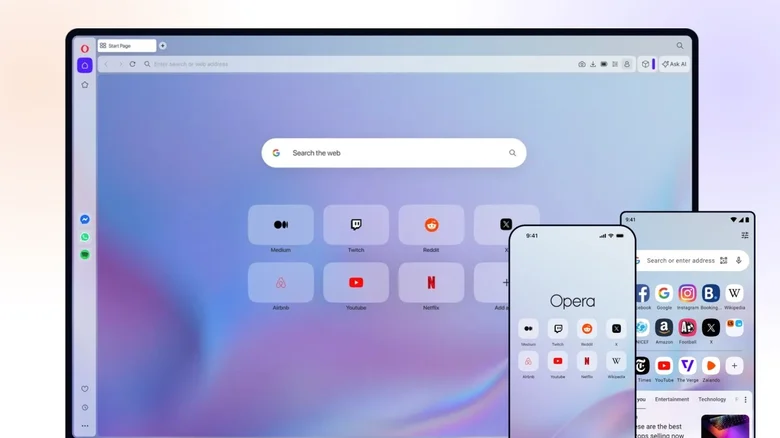
Opera operates as Vivaldi’s highly accessible, AI-forward sibling. While Vivaldi targets workflow purists, Opera delivers a feature-rich, mainstream Chromium experience engineered for immediate utility.
Environment Segmentation Opera abandons the “one-size-fits-all” approach, offering distinct browser environments tailored to specific computing needs:
- Opera Browser: The standard, highly capable flagship client.
- Opera Air: A minimalist build designed specifically for distraction-free productivity.
- Opera Neon: A premium tier optimized for agentic AI interactions.
- Opera GX: The industry-standard environment tailored specifically for gaming and resource throttling.
Built-In Utilities and AI Integration Opera significantly elevates the standard toolkit. Beyond the expected native ad blocker and free Opera VPN, it integrates a modular sidebar featuring a native music player, a rapid snapshot tool, unified messaging clients, a video upscaler, and a customizable newsfeed.
Protect Your Digital Footprint 🛡️
Keep your personal data safe from scammers, encrypt your online activity, and browse privately with NordVPN.
If Vivaldi’s anti-AI stance is a dealbreaker, Opera is your solution. It includes a free AI image generator and the proprietary Opera AI, an integrated assistant capable of media generation and complex file analysis similar to ChatGPT.
Audited Security Infrastructure Headquartered in privacy-centric Norway, Opera fortifies its software with automatic built-in DNS encryption and active crypto-miner blocking. A dedicated internal security team actively reviews extensions and maintains an aggressive bug bounty program. Third-party audits—notably the 2024 Deloitte assessment of its VPN—verify its strict zero-log policy. This makes Opera the optimal choice for users seeking a powerful, out-of-the-box Chrome migration.
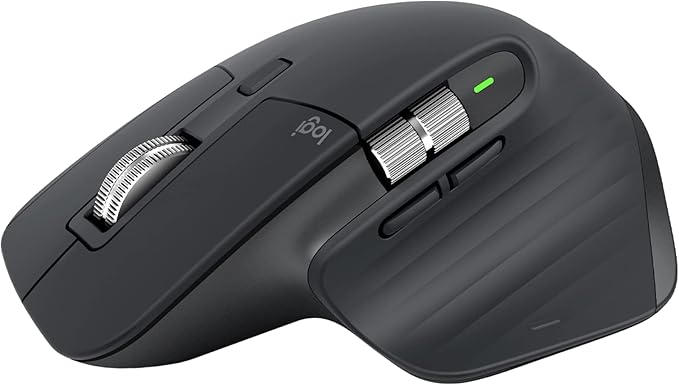
The ultimate desk upgrade for coders. Features an 8K DPI any-surface track-on-glass sensor, Quiet Clicks, and ultrafast MagSpeed scrolling.
3. Firefox: The Open-Source Legacy Engine
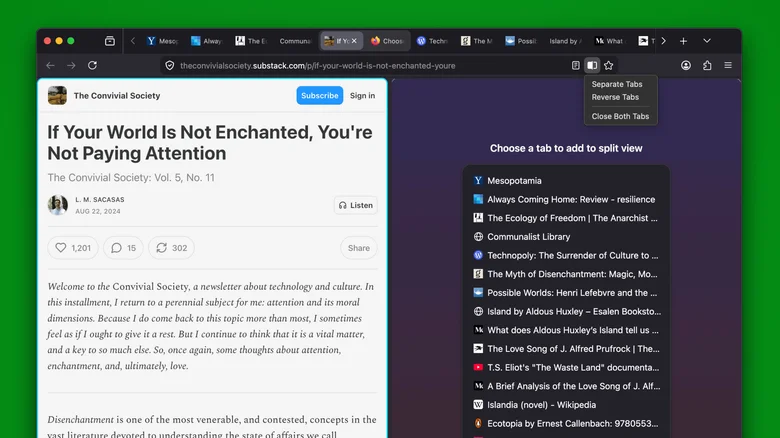
Launching in the early 2000s during the fall of Netscape, Firefox remains a critical pillar of an open web. While its market share has dwindled, its proprietary architecture makes it an indispensable Chrome replacement.
Resource Efficiency & The Extension Advantage Unlike Chrome’s aggressive memory hoarding, Firefox’s Gecko engine is heavily optimized. Informal power benchmarks consistently demonstrate Firefox consuming less energy than every major competitor aside from Safari. In direct benchmark testing, it routinely operates on half the RAM required by Chrome.

Gigastone 16GB DDR4 RAM
Instantly eliminate browser lag and tab-freezing. This high-speed memory kit is the most cost-effective way to permanently speed up a struggling desktop workstation.
- 3200MHz Speed
- Desktop Compatible
- Instant Setup
Crucially, Firefox bypassed the 2025 Chromium extension purge. When extensions like uBlock Origin were forcibly deprecated across Chromium browsers, Firefox retained full, uncompromised compatibility. While Vivaldi and Opera are forced to engineer proprietary ad blockers, Firefox users maintain access to the open web’s most powerful filtering tools.
Privacy & Modernization Feature parity is no longer an issue. Firefox natively blocks cross-site trackers and hardware fingerprinting, handles password synchronization, and supports modern UI features like tab pinning, grouping, and vertical stacking. It has also introduced integrated, browser-based VPN services.
While Mozilla faced backlash recently for modifying its privacy policies to be less user-friendly, its tracking parameters are practically non-existent compared to Google Chrome. For users desiring maximum customization, Firefox also serves as the foundation for powerful forks like the privacy-hardened Zen browser.

4. Orion: The Ultimate Safari Upgrade
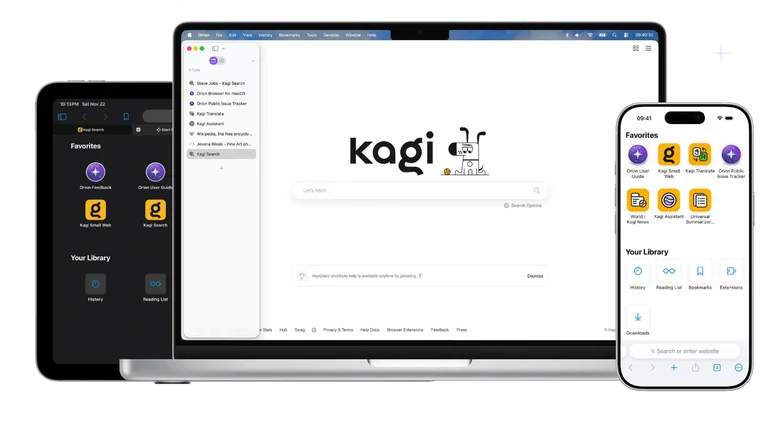
Safari rules the macOS ecosystem by delivering unparalleled battery efficiency, utilizing roughly half the power of standard browsers. However, Apple forces users to trade that battery life for an incredibly restricted feature set. Orion exists to bridge that exact gap.
WebKit Speed with Chromium Flexibility Built on the WebKit-based framework, Orion perfectly mimics Safari’s lightning-fast speed, low energy draw, and deep macOS integration (including Apple Passwords). It also directly inherits Safari’s best native features, including streamlined Link Previews and the distraction-free Reader Mode.
Unlike Safari, Orion actively blocks ads and native trackers out of the box without requiring third-party installations. It also introduces critical workflow enhancements, automatically routing broken links through the Internet Archive and offering native vertical tree tabs. The development team claims Orion achieves these feats while consuming half the memory of Safari itself.
Cross-Engine Extension Support Orion’s defining technical achievement is its extension compatibility. It successfully runs extensions pulled directly from both the Chrome and Firefox web stores. If you abandoned Safari due to missing plugins, Orion entirely eliminates that friction. Currently exclusive to macOS, dedicated builds for Windows and Linux are actively in development.

Apple MacBook Pro (M-Series Max)
The ultimate machine for digital architects. Run local AI models, edit heavy video files, and manage massive automated workflows without your system ever breaking a sweat.
- Desktop-Level Power
- Local AI Ready
- Liquid Retina XDR
5. SigmaOS: The Workspace Reinvented
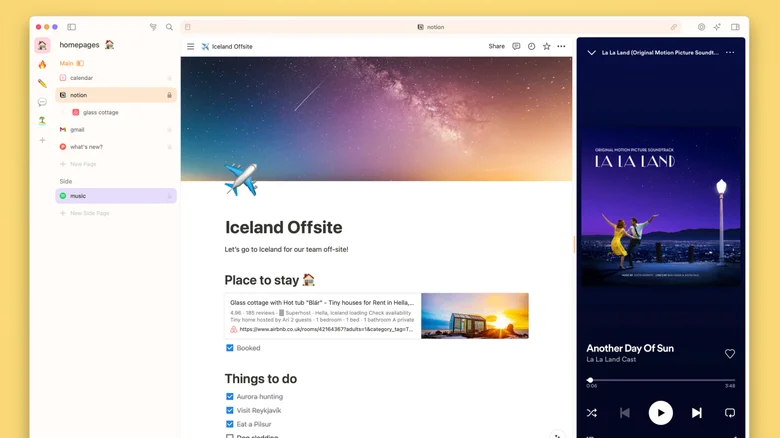
SigmaOS strips away decades of legacy browser design to radically redefine web navigation. Alongside software like Arc, Dia, and Zen, it treats the browser as a centralized operating system rather than a simple document viewer.
Rethinking Tab Mechanics In SigmaOS, you do not “close tabs.” Instead, web pages are treated as actionable tasks and “marked as complete” to clear your workspace.
- Spotlight Command: The traditional URL bar is replaced by a Spotlight-style overlay triggered by the spacebar, instantly executing web searches or internal browser commands.
- Smart Simplification: A rapid pinch gesture visually strips clutter from any webpage, functioning as a universal reader mode that applies to complex sites, not just text articles.
- Dynamic Split-Screen: Pin essential web apps (like Spotify or Slack) into a dedicated, persistent sidebar while browsing dynamically in the main window.
Performance and Pricing Structure Aesthetically, SigmaOS looks like the offspring of Notion and Safari. Like Orion, it is a WebKit-based client designed for maximum efficiency on macOS, complete with robust keyboard shortcut mapping and cross-compatibility with non-native Chromium extensions. A Windows client is currently undergoing beta testing.
While the core browser is completely free, accessing its proprietary Airis LLM and advanced AI-powered tools (like Interactive Summaries) requires a subscription. The Personal Pro tier runs $20 monthly, while the Personal Max tier costs $30 monthly. If Chrome’s static grid interface is stalling your daily output, SigmaOS is the definitive upgrade.



0 Comments