
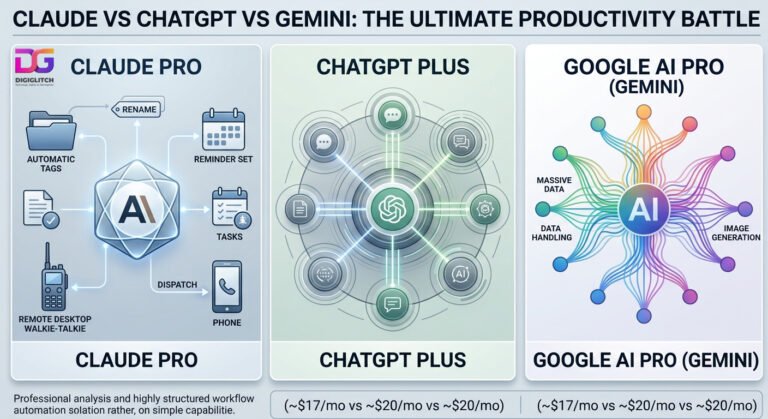

I hate repetitive administrative tasks. Nobody enjoys managing endless to-do lists or renaming messy computer files. Therefore, I integrated artificial intelligence into my daily operations. Initially, I purchased premium subscriptions for the top three platforms. I needed to rigorously test Claude vs ChatGPT vs Gemini to find the ultimate productivity engine. Crucially, I expected high ROI from these expensive tiers. For a while, I actively utilized each application. However, a distinct pattern emerged quickly. I rarely stuck with OpenAI or Google for extended periods. Instead, I consistently defaulted back to Anthropic’s platform.
Claude vs ChatGPT vs Gemini: The Prompt Fatigue Problem
Evaluating Claude vs ChatGPT vs Gemini reveals a critical operational flaw in modern consumer AI. Many mainstream tools require constant babysitting. Specifically, users waste hours rewriting prompts and clarifying basic instructions. Consequently, actual productivity plummets. I simply want an artificial intelligence that decodes my intent immediately. Furthermore, I expect accurate, usable deliverables on the very first attempt.
This is exactly where Anthropic excels. Whenever I feed Claude a prompt, the system delivers extreme reliability. The outputs remain clear, precise, and immediately actionable. Crucially, I avoid the endless cycle of micro-corrections entirely. Over time, the model adapts directly to my specific operational framework. As a result, the entire human-computer interaction feels intuitive and highly efficient.
Build Your AI Sales Team 🤖
Stop manually replying to leads. Deploy SmartAgents to handle objections, qualify prospects, and book meetings directly to your calendar 24/7.
Automating the Backend with Cowork
High-quality text generation is merely the baseline expectation. Actually, the biggest reason I remain loyal to Claude is the Cowork integration. Specifically, this feature functions like a relentless digital employee running locally. I configured Cowork to manage my most tedious background tasks autonomously.
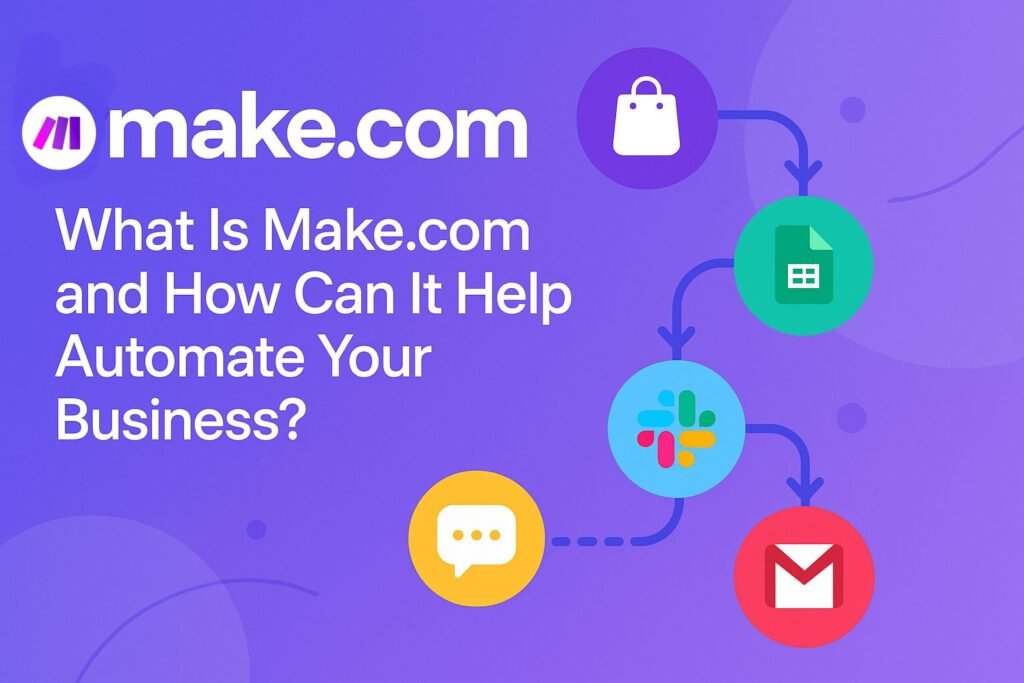
For example, it automatically drops scheduled reminders into my work group chat. Additionally, it scans my MacBook to delete duplicate files without human input. It even renames chaotic file directories systematically. Operators looking to scale these routines across external cloud applications without executing local scripts can integrate their workflows into enterprise architectures using Make.com. This architecture effectively visualizes cross-platform data mapping seamlessly. Without this technical intervention, these minor administrative chores would paralyze my weekly schedule. Therefore, offloading this mental bandwidth offers massive operational advantages for digital business owners.
Remote Execution via Dispatch
The reminder automation alone transformed my daily routine completely. I possess a notoriously forgetful personality. Previously, I needed alarm clocks for my own manual reminders. Now, I never even think about scheduling them. The system handles everything silently in the background.
Furthermore, the Dispatch tool elevates this capability significantly. Sometimes, I leave the house but need critical desktop tasks executed immediately. Consequently, I simply message Claude from my mobile device. It functions exactly like a technical walkie-talkie connected directly to my workstation. I issue a command remotely, and the software executes the action immediately. If I need a complex Excel spreadsheet formatted, it sits ready before I return. This mobile orchestration framework operates flawlessly when backed by reliable API mapping engines. For complex multi-app data routing, deploying dedicated Make.com workflows guarantees structural uptime and prevents data drops.
Related: View the latest enterprise automation trends at TechCrunch.
Engineering Workflows with Claude Code and Artifacts
Modern operators must prioritize smart system design over endless grinding. Therefore, removing friction remains my primary strategic objective. Interestingly, Claude Code perfectly embodies this exact philosophy. The tool autonomously reads entire codebases and executes multi-file modifications rapidly.
Additionally, it runs deployment tests and delivers committed code automatically. Even non-engineers can leverage this architecture to build complex software interfaces. Admittedly, I have not stress-tested Claude Code extensively yet. However, my intensive experiments with Claude Artifacts reveal the massive underlying power.
Pausing for Clarity
Artifacts fundamentally changes how we approach initial technical setups. Specifically, it abandons rigid briefing requirements for dynamic, contextual conversations. I simply select a category, such as a localized productivity application or a dynamic web interface hosted on a rapid-deployment Namecheap architecture. Then, the system builds the framework iteratively alongside me.


Crucially, Claude knows exactly when to stop. Most competing AI platforms confidently sprint in the completely wrong direction. They generate completely irrelevant outputs rather than asking clarifying questions. Conversely, if an instruction lacks clarity, Claude pauses immediately. It actively asks follow-up questions to resolve the technical ambiguity. Consequently, I avoid catastrophic project restarts.
Organise Your Life with ChatGPT (2026)
The ultimate blueprint to automate daily chaos and reclaim 10+ hours a week using advanced AI workflows.
Why I Canceled the Rest
Undeniably, OpenAI and Google build impressive technological ecosystems. Both platforms generate excellent images and process vast datasets efficiently. However, my daily interactions with Gemini frequently induce severe mental exhaustion. I constantly explain the identical concepts repeatedly to the underlying model.
Ultimately, I realized the problem was not my input structure. I deployed identical prompts across all three platforms to verify this hypothesis. While ChatGPT handled tasks adequately, Claude consistently decoded my actual intent instantly. Finally, we must analyze the baseline unit economics.
Currently, Claude Pro costs me approximately $17 monthly. Meanwhile, Google AI Pro and ChatGPT Plus both cost roughly $20 monthly. Undeniably, a three-dollar difference seems relatively minimal initially. However, the superior UX, friction reduction, and background automation create massive compounding value. I wanted the smartest workflow engine, not the cheapest software. Luckily, I acquired both advantages inside a single subscription.



0 Comments