


Just signed up for an account? Don’t waste time clicking around aimlessly; these are the essential tips regarding Claude AI for beginners that will help you move from a confused novice to a confident daily user. While Claude has quietly become one of the most sophisticated AI assistants on the market, many users struggle because they treat the blank chat box like a basic search engine.
To get the most out of the tool, you need to move beyond “search mode.” Claude can analyze complex data, debug code, and hold nuanced brainstorms, but it performs best when you calibrate it to your specific needs from day one.
Self-Host Your AI Agents 🛠️
Deploy n8n on a fast Hostinger VPS. Avoid monthly SaaS API limits and own your automation workflow.
1. Optimize Your Profile and Styles
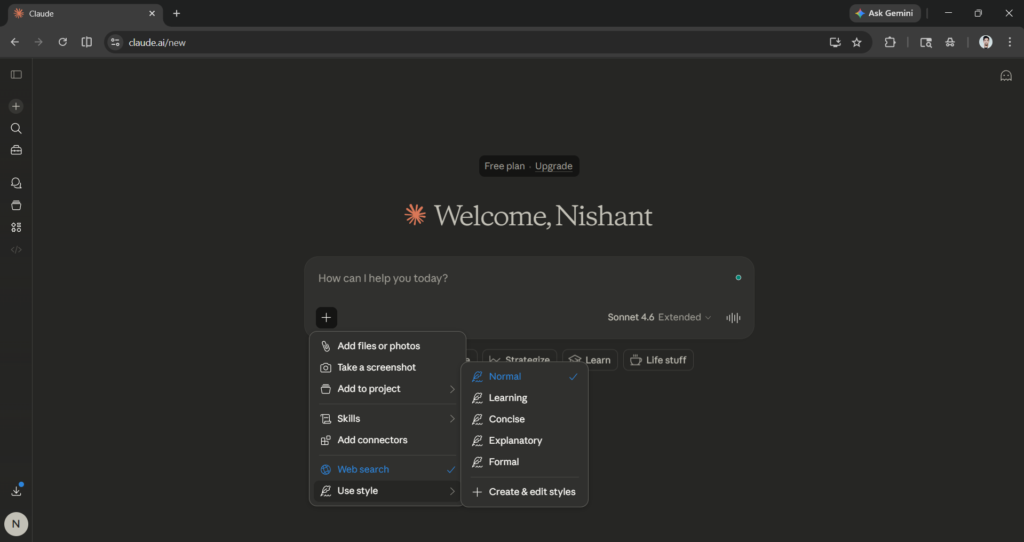
Before sending your first message, head to the settings icon in the bottom-left corner. You’ll find two game-changing sections: Personal Preferences and Styles.
- Personal Preferences: This is a permanent “briefing” for Claude. Tell it your job title, your areas of expertise, and how you prefer to receive information.
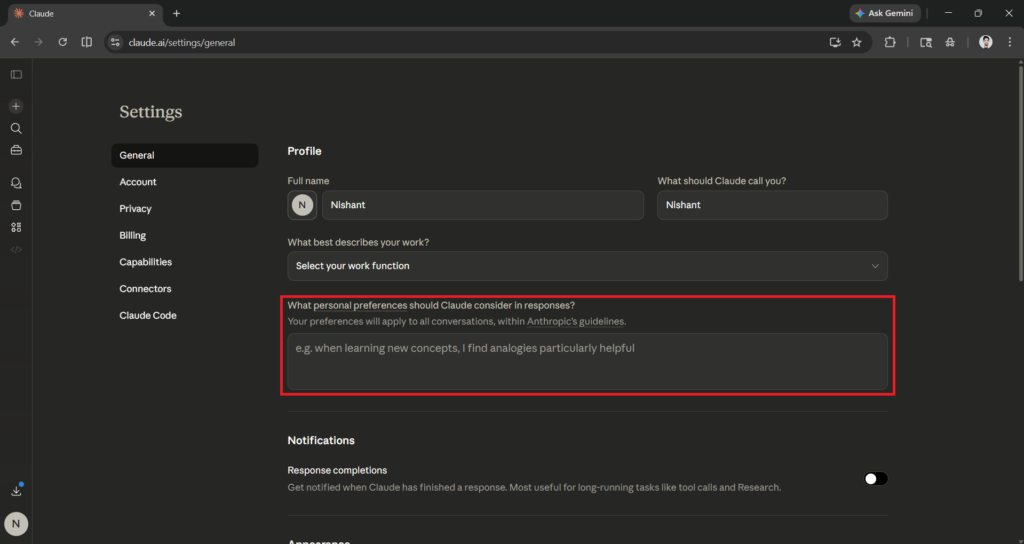
- Styles: Claude offers five built-in presets like “Concise” or “Explanatory.” If those don’t fit your brand, you can create a custom style by uploading a writing sample. This ensures Claude mirrors your voice every time without you having to re-explain yourself in every new chat.
Automate Without Code ⚡
Build complex AI agent workflows visually with Make.com. No coding required. Perfect for solopreneurs.
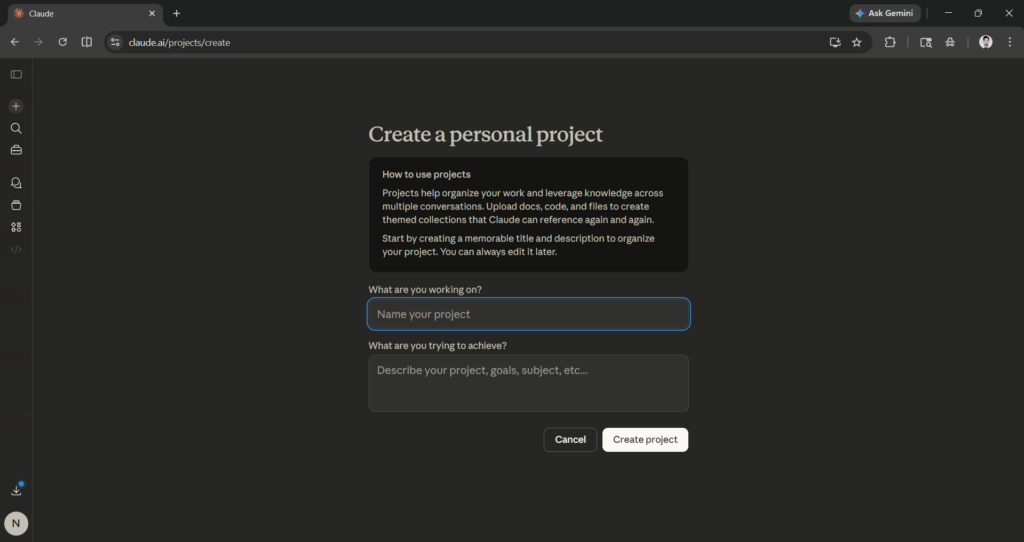
2. Organize Work with Claude Projects
Every user has access to the Projects feature. Think of a Project as a dedicated workspace with its own set of instructions and knowledge base. If you are working on a specific product launch or a content series, keeping it in a Project prevents the AI from getting “distracted” by unrelated conversations. Free users can maintain up to five active Projects.
3. Use the Three-Part Prompting Formula
The secret to effective prompting is structure. Most beginners write vague requests and receive vague answers. To fix this, ensure every prompt contains these three elements:
- The Task: Exactly what do you want?
- The Context: Why do you need it and who is it for?
- The Format: Should it be a table, a list, or a professional email?
Try these 7 starter prompts:
- “Summarize the benefits of [Topic] in a comparison table for a non-technical audience.”
- “Explain [Concept] like I’m a beginner, then quiz me with 5 questions.”
- “Act as a brainstorming partner. Give me 10 content ideas for [Topic].”
- “Review this text and rewrite it to sound more professional: [Paste text].”
- “Build a realistic weekly schedule based on this task list: [Paste list].”
- “Act as a critical editor. Provide specific feedback on this draft: [Paste draft].”
- “Recommend 3 ways to use Claude for my specific role as a [Job Title].”
4. Privacy and Data Control
Claude AI for beginners requires a basic understanding of data safety. Never share passwords, bank details, or highly sensitive corporate contracts.
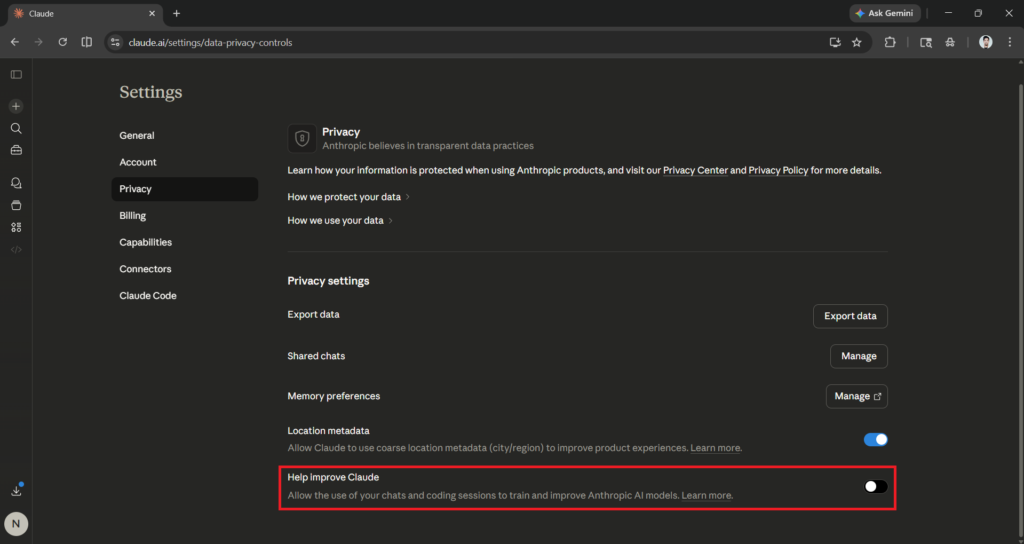
To protect your data, visit your Privacy Controls. Locate the toggle labeled “Help Improve Claude.” By turning this off, you opt out of having your conversations used to train Anthropic’s models. If you opt out, your data is deleted after 30 days; if you stay opted in, it can be retained for up to five years.
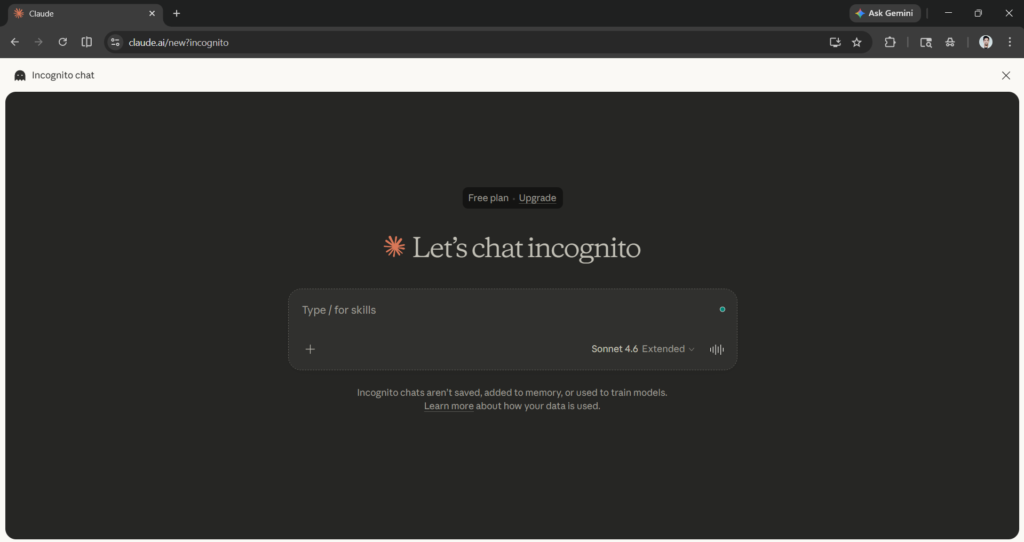
For extra sensitive tasks, use Incognito Mode (the ghost icon in the top-right). These chats aren’t saved to your history and are never used for model training.
The Bottom Line
Claude AI has a remarkably high ceiling for productivity if you take five minutes to dial in your settings. By mastering the prompt formula and securing your privacy, you’ll see more value in your first week than most users find in a month.



0 Comments