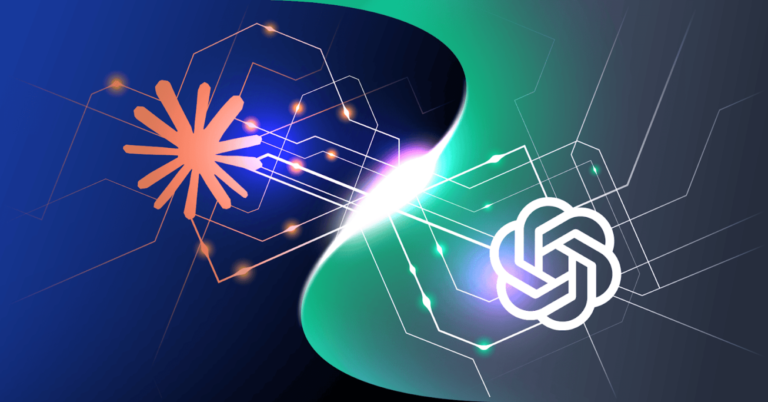

Evaluating Claude vs ChatGPT features in 2026 requires looking past raw text generation. While OpenAI dominates voice conversations and native image rendering, Anthropic has engineered deep operating-system and office-suite hooks that eliminate repetitive copy-pasting.
For creators and operators, pairing the best productivity software for creators with an assistant embedded inside existing daily tools makes all the difference. Consequently, Claude now handles five practical workflows that ChatGPT either fragments across separate tools or lacks altogether.
Give Your AI a Voice
Generate hyper-realistic speech, clone voices, and bring your digital avatars to life with ElevenLabs.
How Do Claude vs ChatGPT Features Differ for Daily Workflows?
Comparing Claude vs ChatGPT features reveals five workflow advantages for Anthropic’s assistant. Claude offers direct Apple Reminders integration on iOS, a dedicated memory-import tool for migrating context, unified custom Skills across all four core Microsoft 365 apps, screen-recorded workflow automation on macOS, and structured brand design systems for consistent visual output.
| Workflow Area | Anthropic Claude Advantage | OpenAI ChatGPT Equivalent |
| iOS Task Management | Direct write access to Apple Reminders lists | Separate internal reminders and Apple Intelligence hooks |
| Context Migration | Dedicated memory-import prompt and settings panel | Manual custom instructions entry |
| Microsoft 365 Suite | Unified custom Skills across Word, Excel, PowerPoint, and Outlook | Partial Skills support across select Office apps |
| Task Recording | Native macOS screen, click, and voice-to-Skill recorder | Restricted to developer-focused Codex Record & Replay |
| Brand Assets | Structured multi-project design systems | Per-chat reference images and brand prompts |
1. Direct Apple Reminders Integration on iOS

Most mobile AI assistants force users to copy generated lists and paste them into separate task managers. However, Claude’s iOS app connects directly to native Apple frameworks.
Specifically, Claude can populate existing Apple Reminders lists, draft calendar entries, and stage messages without leaving the chat thread. For example, you can plan a five-day meal schedule and instruct Claude to push every ingredient straight into your grocery list.
Although ChatGPT includes its own scheduled notifications, it keeps those tasks siloed inside OpenAI’s ecosystem. Therefore, iPhone users gain immediate utility by letting Claude manage native system lists.
Content, data, and team in one tab.
Plan, measure, and manage it all in one tool that saves time and gives you full control over your social media growth.
2. Frictionless Memory Import From Competing Models
Switching primary AI platforms usually means losing years of accumulated personal and professional context. To solve this lock-in problem, Anthropic built a dedicated memory migration workflow.
Claude provides a structured extraction prompt designed for competing chatbots—a staple trick in advanced Claude AI workflows and prompts. First, you paste that prompt into ChatGPT to generate a condensed profile of your preferences, tone, and background. Next, you paste that summary directly into Claude’s official memory import portal.
While this process does not transfer full chat transcripts, it eliminates cold-start friction. Crucially, Anthropic makes this import pipeline available on its free tier.
Before running Claude’s memory-import prompt inside ChatGPT, review the extracted summary and strip out sensitive API keys, client names, or confidential financial figures.
3. Unified Custom Skills Across Microsoft 365
Both platforms allow users to package reusable instructions called Skills. Yet Anthropic extends those exact instruction sets across the entire Microsoft 365 productivity suite.
Once configured, your custom Claude Skills load automatically inside Word, Excel, PowerPoint, and Outlook add-ins. Consequently, you can enforce strict proposal formatting in Word, standardize expense categorization in Excel, and maintain consistent support replies in Outlook without re-prompting.
ChatGPT offers comparable extensions in isolated Office environments. In contrast, Claude delivers cross-application continuity across all four core workplace tools—and if you want to connect these APIs beyond Office, you can visually route triggers across 1,800+ apps using Make.com’s no-code automation builder.
Automate Beyond Office. Connect Claude & OpenAI Visually on Make.com.
Build multi-step AI agent workflows, route webhooks, and sync 1,800+ apps with zero code required.
4. Visual Workflow Recording on macOS
Writing step-by-step system prompts for complex multi-tab tasks often takes longer than doing the work manually. Anthropic bypasses prompt engineering entirely with its macOS workflow recorder.
Instead of typing rules, Mac users simply demonstrate a routine on screen. Claude captures cursor clicks, keyboard inputs, screen context, and optional voice narration to compile a reusable Skill.
OpenAI restricts similar Record & Replay capabilities to its developer-oriented Codex environment. Meanwhile, Anthropic brings visual task capture directly into its general-purpose desktop client, bridging the gap with dedicated no-code AI automation tools for routine administrative work—especially when paired with a high-efficiency Apple Silicon MacBook Pro built for continuous local multitasking.
Pause screen recording before entering passwords or two-factor authentication codes when training custom macOS Skills.

Apple MacBook Pro 14-Inch (M-Series)
Upgrading your desktop workflow? Run continuous screen-capture Skills, local AI models, and heavy macOS automations without thermal throttling.
5. Structured AI Design Systems

When examining Claude vs ChatGPT features for visual branding, each platform takes a distinct architectural path. ChatGPT excels at generating standalone raster images from text prompts.
Conversely, Claude focuses on structural brand governance through reusable design systems. Users upload logos, typography rules, hex color palettes, and layout guidelines into a persistent workspace profile.
Small businesses and solo creators can then generate presentations, web layouts, and marketing assets that adhere to identical visual standards. Rather than re-uploading reference files for every new thread, Claude enforces brand consistency automatically.
Frequently Asked Questions About Claude vs ChatGPT Features
Can you transfer your ChatGPT history to Claude for free?
Yes, Anthropic offers a free memory-import workflow. While it does not migrate full conversation threads, it uses a specialized prompt to extract your stored preferences from ChatGPT and load them into Claude’s memory settings.
Does Claude work inside Microsoft Excel and Outlook?
Yes, Anthropic provides official Microsoft 365 add-ins for Word, Excel, PowerPoint, and Outlook. Any custom Skills you build in Claude remain accessible across all four applications.
Is Claude’s workflow recording available on Windows?
Currently, screen and click workflow recording is built for macOS desktop users. Windows users can still build and execute custom Skills manually using text instructions.
Should you cancel ChatGPT and switch exclusively to Claude?
Not necessarily, because both tools excel at different tasks. Keep ChatGPT if you rely heavily on real-time voice mode and native image generation, and pair it with Claude for Office automation and macOS workflows.
Choosing the Right Stack for Your Daily Workflow
As seen in our head-to-head AI tool comparisons, the debate around Claude vs ChatGPT features comes down to how you interact with software each day. If your priority is standalone image creation or hands-free voice brainstorming, OpenAI remains the stronger choice. However, if you want an assistant that embeds inside Apple Reminders, Microsoft 365, and macOS routines, start testing Claude’s free tier alongside your existing setup.
Build Your AI Sales Team 🤖
Stop manually replying to leads. Deploy SmartAgents to handle objections, qualify prospects, and book meetings directly to your calendar 24/7.
Comparing Claude vs ChatGPT features reveals five workflow advantages for Anthropic’s assistant. Claude offers direct Apple Reminders integration on iOS, a dedicated memory-import tool for migrating context, unified custom Skills across all four core Microsoft 365 apps, screen-recorded workflow automation on macOS, and structured brand design systems for consistent visual output.



0 Comments