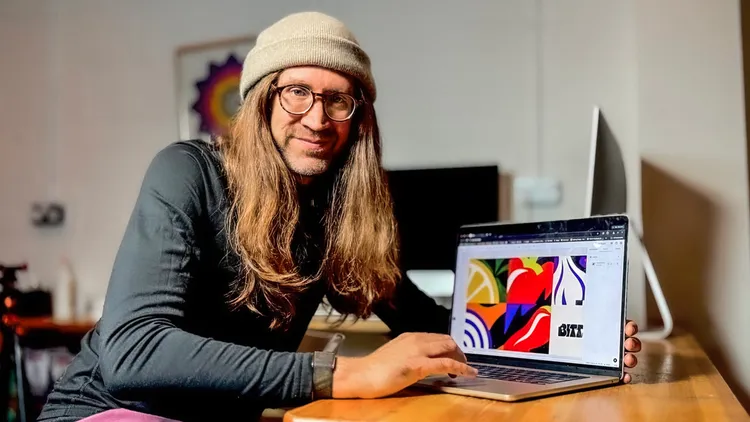

Artist Stuart Semple has released V1.0 of the NIVA design app, a browser-based creative studio built without generative AI features or recurring subscription fees. After years of development following a crowdfunding campaign that originally launched under the name Abode, the web tool opened to general users in November 2026.
Frustration over rising creative software costs and unwanted AI automation has pushed many artists toward leaner tools. Specifically, Semple positioned NIVA around manual craft, offering a free daily hour alongside day passes and a permanent license option.
What Is the NIVA Design App?
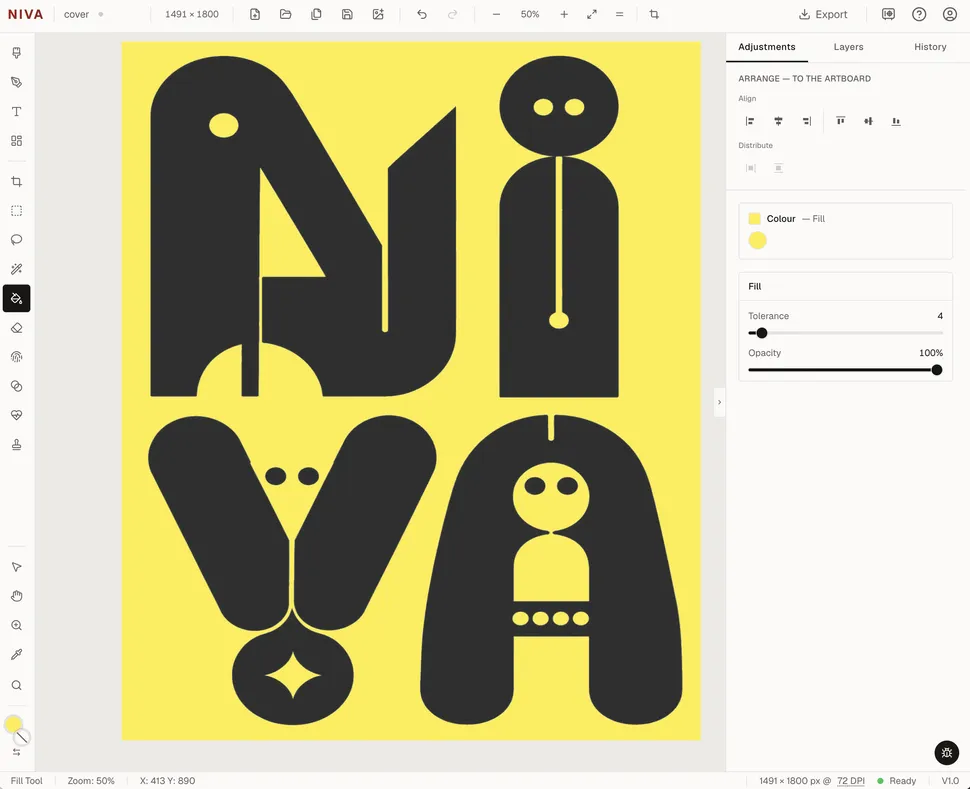
The NIVA design app is a web-based workspace combining raster photo adjustments, vector drawing, and layout tools on a single canvas without generative AI prompts or subscriptions. According to NIVA’s official release notes and roadmap, V1.0 opens directly onto a canvas in a standard web browser after email registration.
Instead of separating workflows into distinct desktop applications or AI generation panels, NIVA groups core tools around three modes—Paint, Pen, and Text—while saving work locally via IndexedDB. Meanwhile, users can organize and share files through an integrated asset space called Storehouse.
Core Tools and Export Capabilities
NIVA’s public feature set targets everyday visual production rather than sprawling enterprise menus. Consequently, its V1.0 toolset focuses on practical fundamentals:
- Photo and Color Tools: Curves, levels, healing, cloning, smudge, blend tools, and a color picker incorporating Semple’s FREETONE palette.
- Vector and Typography Controls: Shapes, pen paths with boolean operations, layers, artboards, gradients, linked text frames, character formatting, and text-to-curves conversion.
- File Handling and Storage: IndexedDB autosave, Storehouse file organization, direct file sharing, and exports in PDF, SVG, and ZIP formats.
Test a multi-layer layout and export both SVG and PDF files during your free daily hour before relying on any new web editor for client deadlines.
How NIVA Rebuilt After Crowdfunding and Rebranding
The project began as a 2023 Kickstarter campaign titled Abode, where 3,031 backers pledged £181,709 toward artist-owned creative software. However, the suite later rebranded as NIVA and underwent a ground-up rebuild before shipping its V1.0 web release.
Semple has declined to confirm whether legal pressure from Adobe prompted the name change, remarking only that he could not afford the consequences of avoiding a rebuild and rename. Furthermore, he stated that around ten people contributed more heavily alongside his own development work and occasional outside technical help.
| Pricing Tier | Access & Terms | Key Caveat |
| Free Daily Tier | 1 hour of studio access every day with an email account | Time-capped daily session length |
| Day Pass | $10 for 24 hours of full studio access | Cost is credited toward a permanent license |
| Permanent License | $100 one-time purchase with no subscription | Native .psd/.ai and offline desktop builds are roadmap items |
Why Creators Are Watching the Anti-AI Shift
Creative software vendors have increasingly embedded generative AI directly into editing menus, raising questions about workflow control and training data boundaries. For example, the NIVA design app explicitly omits generative AI so makers execute every stroke, mask, and layout adjustment design software manually.
Press coverage following the launch reported nearly 30,000 users or downloads within 48 hours, with Semple stating that over half of early users created something within 40 seconds. However, independent third-party telemetry verifying those adoption and speed metrics has not been published.

Technical Limits and What Comes Next
Because the NIVA design app launches first as a browser application, studio teams should evaluate its current scope against production requirements. Specifically, native .psd and .ai file exchange, full CMYK print workflows with bleed, and downloadable Mac/PC offline builds are scheduled on NIVA’s roadmap for future point and V2.0 releases rather than V1.0.
Additionally, browser-based creative apps depend on local browser storage limits, canvas performance, and ongoing developer maintenance. Creators working on heavy multi-page print specs or legacy Adobe file pipelines should test V1.0 during its free daily window before committing to a purchase.
Do not assume native .psd or .ai round-tripping or CMYK bleed prep is ready in V1.0; verify roadmap status before retiring legacy file workflows.
Don’t Lose Project Archives. Back Up on Fast NVMe SSDs in Seconds.
Keep browser drafts, SVG/PDF exports, and master project files protected with reliable external NVMe SSDs built for creators.
Frequently Asked Questions
Does the NIVA design app include any AI features?
No. According to NIVA’s stated design philosophy and launch reporting, the software is built without generative AI tools.
How much does NIVA cost?
NIVA offers one free hour per day, $10 24-hour day passes, and a $100 permanent license with no recurring subscription. Day-pass payments are deducted from the permanent license price if you upgrade later.
Does NIVA require a desktop download?
V1.0 runs in a web browser without a required installation, though a downloadable Mac and PC version with offline support is planned for V2.0.
Can NIVA open Photoshop and Illustrator files right now?
NIVA currently supports exports such as PDF, SVG, and ZIP, while native .psd and .ai support is listed for a future update.
What Happens Next for Makers?
Start with a short test project inside NIVA’s free daily hour using your real typography, vector, and photo tasks. Evaluate how cleanly your SVG and PDF exports behave in your existing pipeline, and keep existing desktop or legacy file tools on standby until roadmap features like .psd/.ai compatibility and offline builds ship.
NIVA is a browser-based creative studio created by artist Stuart Semple that combines vector drawing, photo adjustments, and page layout without generative AI tools or monthly subscriptions. Available via an email sign-up, NIVA offers one free hour daily, $10 day passes credited toward ownership, or a $100 permanent license.



0 Comments